See the business, not just the software
A Command Center connects the platforms your business already runs on, such as your CRM, payments, scheduling and project tools, into one private dashboard. It shows what needs attention today, answers questions with its sources, and drafts follow-ups that wait for your approval.
We build it, host it and look after it. The screens below come from our own Command Center, shown with sample data. Yours starts with the same two views and is shaped around your platforms and your people.
Two views, on from day one
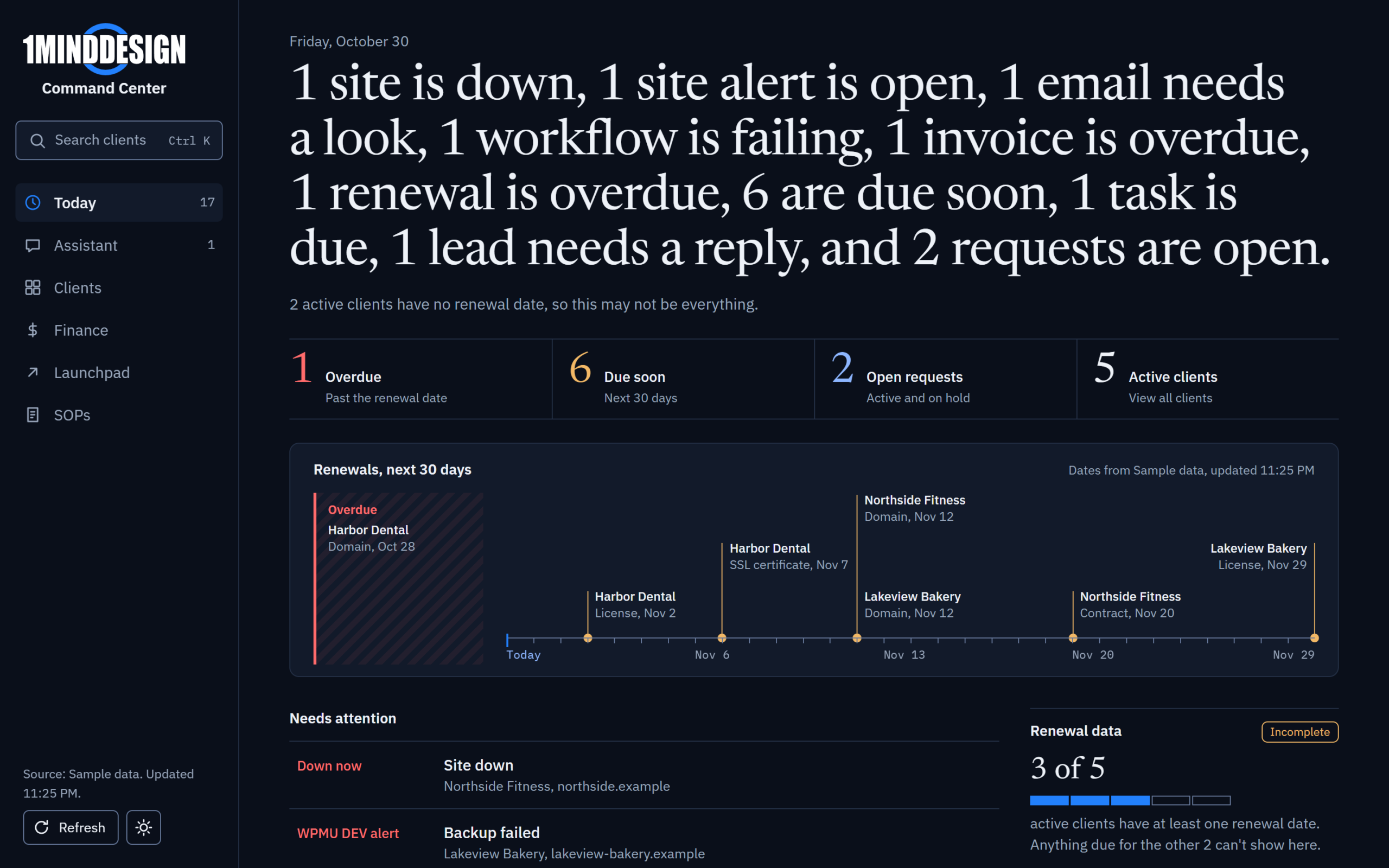
Today, with sample data
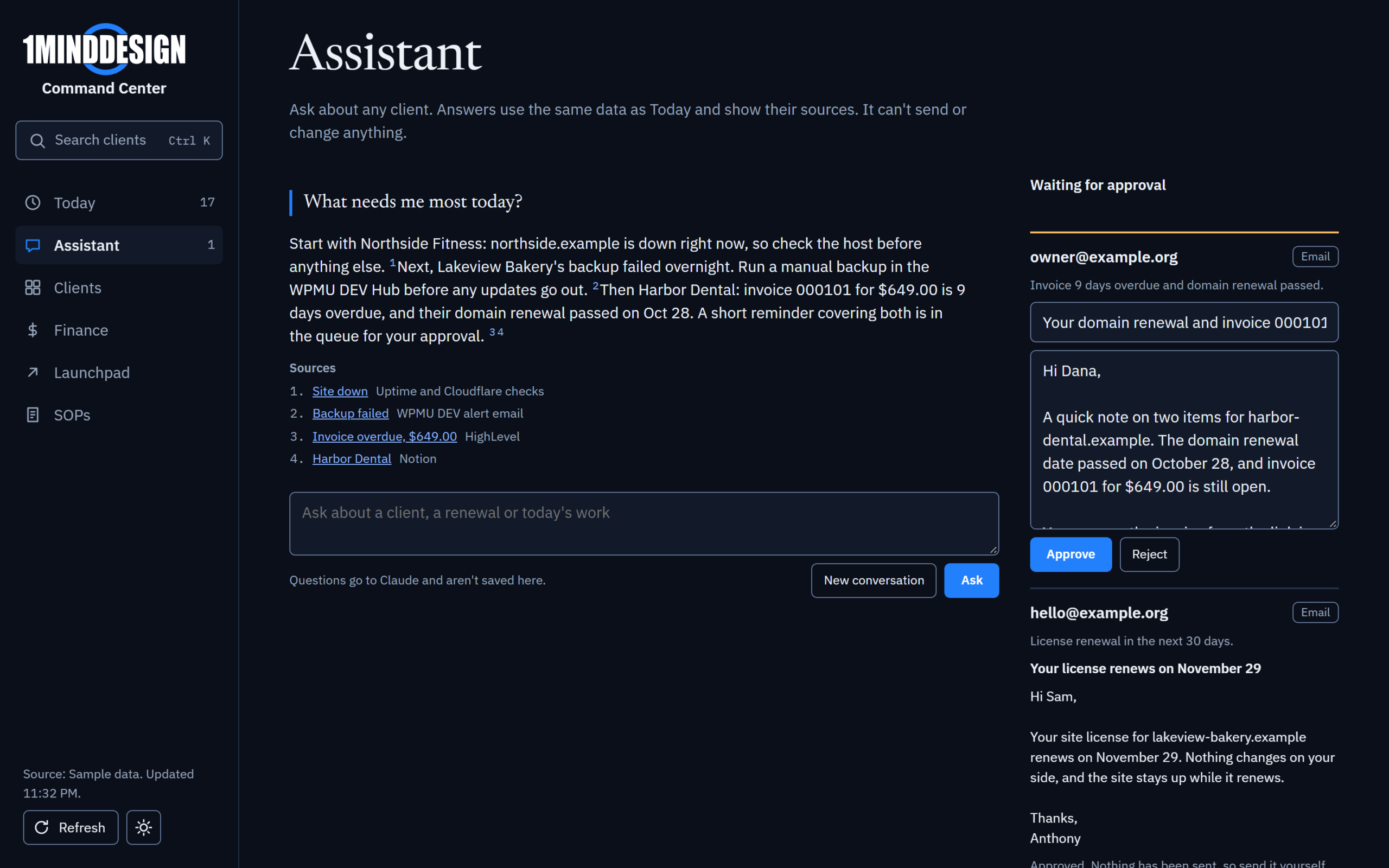
Assistant and approvals, with sample data
Today
Everything that needs a person, across your connected platforms: overdue tasks, new leads with no reply, unpaid invoices, failed automations and upcoming renewals. Each item links straight to the record it came from.
Assistant and approvals
Ask about your business in plain words. Every answer shows where it came from. Anything the AI drafts, such as a follow-up email, waits in an approval queue. Nothing is sent without you.
Your platforms, connected
We connect the tools you already use with read-only access, so the Command Center can see without changing anything. Every number shows its source and when it last updated.
Yours alone
Each Command Center is its own deployment behind its own sign-in. Your data is never mixed with another client's, and only the people you add can get in.
Looked after for you
We host it, watch every connection and fix it when a platform changes. You use it; we keep it working.
Room to grow
Add views when you need them: client or customer profiles, finance, a launchpad for every account, your team's procedures. We added each of those to our own, one at a time.
Shaped around your business and your people
Today and the Assistant are on from day one. The Blueprint decides the rest: which platforms connect, what counts as needing attention, which views your team gets and what each person can see. As the business changes, we add views, connections and people.
Owner
Performance, pipeline, cash, risks and the few decisions only you can make.
Manager
Workload, stalled tasks, approvals, service issues and whether the automations are running.
Team member
Their assigned work, checklists, customer context, approved answers and drafts. Nothing they don't need.
Want to see your numbers before you connect everything?
The Owner Dashboard is a smaller, fixed version of the Command Center for owners who mainly want to see how the business is doing. It brings snapshots from up to five of your tools onto one screen, with a plain-language AI summary of what changed and what to look at.
Owner Dashboard, a sample design with made-up numbers
What you get
Up to five connections from our supported list, such as Stripe, Square, HubSpot, Calendly or Google Sheets. Sales, bookings, pipeline and open work on one screen, refreshed for you, with an AI summary of what moved. It only reads: it never changes anything in your tools.
Why choose it
Choose it when you want visibility more than action. If every tool you use is on the supported list, there's no Blueprint first, so it costs far less to start than a Command Center. There's no assistant, approval queue or team views; it's built for one person who wants the picture.
A step toward a Command Center
When you're ready for more, such as an assistant that answers with sources, drafts for your approval, views for your team or tools outside the list, the Owner Dashboard becomes the starting point. What we've already connected comes with you.
Your Command Center starts with a Blueprint
Each client gets a separate deployment, connected to their own platforms and arranged around their own people. The Blueprint defines the roles, metrics and first module.
Start your Blueprint